
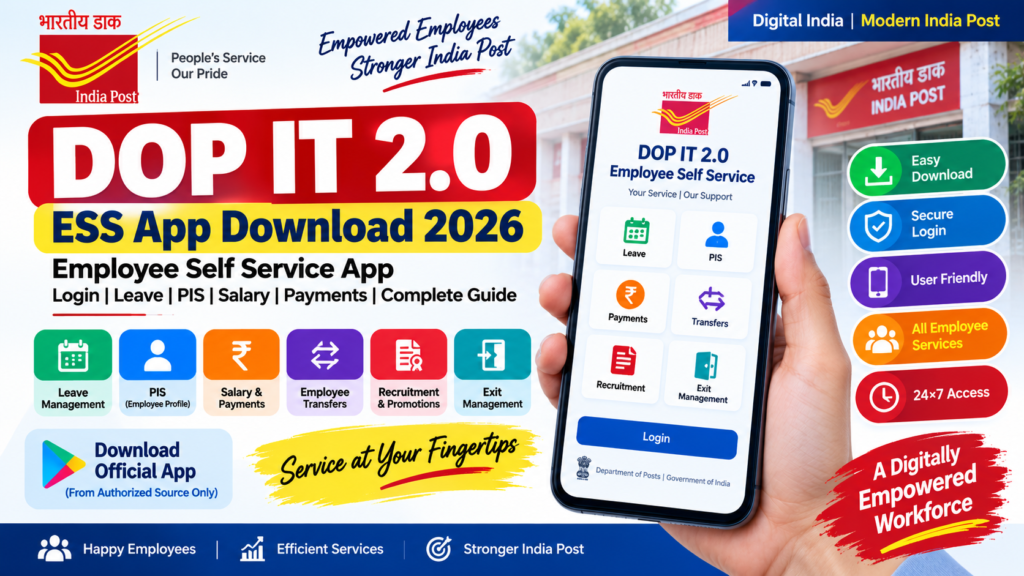
DOP IT 2.0 ESS App Download 2026: Employee Self Service App, Login & Complete Guide
DOP IT 2.0 ESS App यानी Employee Self Service से जुड़े Login, Leave, Personal Information, Employee Payments, Salary/Payslip, Transfer और अन्य employee services को समझना अब आसान है।
इस complete guide में हम IT 2.0 ESS Mobile App, APT 2.0 Employee Self Service, ESS Portal, Login Process, मुख्य features, Leave Management, PIS, Employee Payments और common problems को step-by-step समझेंगे।
⚡ Quick Answer: DOP IT 2.0 ESS App क्या है?
DOP IT 2.0 ESS App Department of Posts के Employee Self Service ecosystem का हिस्सा है, जिसका उद्देश्य postal employees को कई employee-related services digital तरीके से access करने की सुविधा देना है।
APT 2.0 के Employee Self Service section में role और current system configuration के अनुसार Leave Management, Personnel Information, Employee Payments, Exit Management, Employee Transfers तथा Recruitment & Promotions जैसे modules दिखाई दे सकते हैं।
📑 इस Article में क्या मिलेगा?
- DOP IT 2.0 ESS App क्या है?
- APT 2.0 और ESS का क्या connection है?
- IT 2.0 ESS Mobile App के मुख्य features
- ESS Portal में Login कैसे करें?
- ESS में Leave कैसे देखें/Apply करें?
- PIS और Employee Profile कैसे access करें?
- Salary और Employee Payments से जुड़ी जानकारी
- ESS में Transfer और Recruitment options
- ESS Login/App में आने वाली common problems
- Security और fake APK से बचने के तरीके
- Frequently Asked Questions
📱 DOP IT 2.0 ESS App क्या है?
ESS का full form Employee Self Service है। यह employee-centric digital system है जिसके माध्यम से Department of Posts के eligible users अपने service-related कई काम online access कर सकते हैं।
APT 2.0 में Employee Self Service को एक important section के रूप में इस्तेमाल किया जाता है। Official operational material में ESS के अंतर्गत Leave Management, Personnel Information, Employee Payments, Exit Management, Employee Transfers और Recruitment & Promotions जैसे modules documented हैं।
Leave से जुड़े applications और information को manage करने के लिए।
Personnel Information और employee profile से जुड़ी information।
Pay और allowances से जुड़ी employee services।
Applicable transfer-related requests और processes।
Applicable departmental recruitment, examination और promotion workflows।
Applicable exit और retirement-related processes।
🔗 APT 2.0 और ESS का क्या संबंध है?
APT यानी Advanced Postal Technology, Department of Posts के IT Modernization Project 2.0 का महत्वपूर्ण technology platform है। Employee Self Service उसी broader digital ecosystem के अंदर employee-related services उपलब्ध कराता है।
IT 2.0 → APT 2.0 → Employee Self Service (ESS)
यानी employee-related digital services को access करने के लिए APT 2.0 में Employee Self Service section महत्वपूर्ण भूमिका निभाता है।
🔐 DOP IT 2.0 ESS Login कैसे करें?
ESS access करने की प्रक्रिया employee के authorized credentials और current portal configuration पर निर्भर कर सकती है। सामान्य web login flow नीचे दिया गया है।
सबसे पहले Department of Posts के authorized employee portal को browser में खोलें।
Login page पर मांगी गई employee login details enter करें।
अपना current authorized password enter करें।
Portal यदि TOTP या Mobile OTP authentication मांगे तो उपलब्ध authorized authentication method से verification पूरा करें।
Successful login के बाद employee को role/mapping के अनुसार available cards और modules दिखाई दे सकते हैं।
👉 अगर आपको केवल APT Employee Portal Login, TOTP और Dashboard की जानकारी चाहिए तो हमारा detailed guide देखें:
APT Login 2026 – Employee Portal Guide📲 IT 2.0 ESS Mobile App क्या करता है?
ESS mobile experience का उद्देश्य employees को smartphone के माध्यम से employee-related services तक convenient access देना है। उपलब्ध features employee role, rollout और current application version के अनुसार अलग हो सकते हैं।
Employee की available personal/service information देखने की सुविधा।
Leave-related information और applicable requests access करना।
Employee payments और pay-related information के applicable options।
Departmental service-related information access करना।
⬇️ DOP IT 2.0 ESS App Download कैसे करें?
📲 Official DAK-SAATHI App
Department of Posts employees के लिए उपलब्ध DAK-SAATHI app का official Google Play listing Centre for Excellence in Postal Technology (CEPT) द्वारा published है। इसमें GDS और Departmental Employees के लिए Attendance, Leave Management, TRCA Slip, Rule-3 Transfer, Service Desk, Training, Business Achievement Dashboard और My Points जैसी सुविधाएँ दी गई हैं।
अगर आप Android mobile पर official app download करना चाहते हैं, तो नीचे दिए गए Google Play button का उपयोग करें:
📲 DAK-SAATHI Official App – Download from Google Play⚠️ सबसे जरूरी बात
Internet पर कई websites ESS APK Download, IT 2.0 ESS APK या India Post ESS APK के नाम से files उपलब्ध करा सकती हैं।
लेकिन किसी unknown website से APK download करके install करना सुरक्षित नहीं है। Employee credentials, OTP और departmental information sensitive हो सकती है।
इसलिए ESS application हमेशा Department of Posts/CEPT द्वारा उपलब्ध official या authorized source से ही प्राप्त करें।
📱 Android में सामान्य Installation Process
ऊपर दिए गए official DAK-SAATHI Google Play link पर जाएँ।
Download करने से पहले developer के रूप में Centre for Excellence in Postal Technology की जानकारी verify करें।
Google Play Store से application को अपने Android device में install करें।
Installation complete होने के बाद DAK-SAATHI app open करें।
अपने authorized employee credentials और उपलब्ध authentication method के अनुसार login process पूरा करें।
🗓️ ESS में Leave कैसे Apply करें?
APT 2.0 Employee Self Service में Leave Management एक महत्वपूर्ण module है। आपके employee role और current permissions के अनुसार options अलग दिखाई दे सकते हैं।
Authorized employee credentials से portal/app में login करें।
Dashboard में उपलब्ध Employee Self Service/Leave Management option select करें।
यदि आपके role में option उपलब्ध है तो Apply Leave पर जाएं।
Leave type, dates और required information carefully enter करें।
जहां applicable हो, required supporting document upload करें।
Final submission से पहले information verify करें और बाद में application status check करें।
💡 Leave से संबंधित charge report, leave withdrawal और अन्य options current departmental process और employee permissions के अनुसार अलग हो सकते हैं।
👤 APT 2.0 ESS में PIS क्या है?
PIS यानी Personnel Information System employee से जुड़ी personnel information को manage करने वाला important section है।
यदि profile में कोई information incorrect या outdated दिखाई देती है तो उसे बिना verification के बदलने के बजाय applicable departmental procedure और authorized instructions follow करें।
💰 ESS में Salary और Employee Payments
Employee Self Service में Employee Payments section के माध्यम से applicable pay और allowance-related services उपलब्ध हो सकती हैं।
कुछ employee services में payslip, reimbursement या payment-related workflows का access भी current system configuration के अनुसार उपलब्ध हो सकता है।
अगर आपका उद्देश्य केवल APT 2.0 में payslip download करना है, तो नीचे दिए गए dedicated guide को भी देखें।
APT Employee Work Guide 2026🔄 ESS में Employee Transfer
APT 2.0 में Employee Transfers एक documented Employee Self Service module है। Applicable employees के लिए transfer-related requests और workflow इसी section के माध्यम से उपलब्ध हो सकते हैं।
Transfer की eligibility, schedule, rules और application process हमेशा latest Department of Posts instructions के अनुसार verify करें।
📋 Recruitment & Promotions Module
APT 2.0 Employee Self Service में Recruitment and Promotions से जुड़ा module भी documented है। इसमें applicable departmental recruitment, examination और promotion-related workflows के options दिखाई दे सकते हैं।
किसी examination या promotion application को submit करने से पहले संबंधित official notification, eligibility और required documents जरूर verify करें।
🛠️ DOP IT 2.0 ESS App में Common Problems
| Problem | क्या करें? |
|---|---|
| ESS Login नहीं हो रहा | Employee ID, password और portal URL verify करें। |
| OTP नहीं आ रहा | Registered mobile details और network check करें। |
| TOTP काम नहीं कर रहा | Authorized TOTP setup और current authentication instructions verify करें। |
| Dashboard खाली दिखाई दे रहा | Employee role/mapping और portal availability check करें। |
| Leave option दिखाई नहीं दे रहा | Role, permissions और current module availability verify करें। |
| App open नहीं हो रहा | App version, network और device compatibility check करें। |
| Portal बहुत slow है | Network/browser check करें और थोड़ी देर बाद दोबारा try करें। |
| Application submit नहीं हो रही | Required fields/documents और applicable workflow check करें। |
🔗 APT 2.0 के हमारे दूसरे Useful Guides
अगर आप APT 2.0 पर और detailed information चाहते हैं तो ये guides आपके लिए useful रहेंगे:
👥 Customer Self-Service Portal भी देखें
अगर आप employee नहीं बल्कि India Post customer के लिए DOP IT 2.0 Customer Self-Service Portal की जानकारी खोज रहे हैं, तो हमारा यह नया guide देखें:
Customer Self-Service Portal Login 2026🔒 ESS App और APT Login के लिए Security Tips
- अपना Employee ID और password किसी दूसरे व्यक्ति के साथ share न करें।
- OTP या TOTP किसी को भी forward न करें।
- Unknown APK files install करने से बचें।
- WhatsApp/Telegram से मिले suspicious login links पर credentials enter न करें।
- केवल authorized Department of Posts portal/app का उपयोग करें।
- Public computer पर login करने के बाद logout करना न भूलें।
- अगर account या authentication से जुड़ी समस्या है तो prescribed departmental support channel का उपयोग करें।
🌐 Official Information और App कहाँ से Verify करें?
APT 2.0 और ESS से संबंधित important departmental information के लिए हमेशा official Department of Posts/CEPT instructions को priority दें।
India Post Official Website CEPT Official Resources📲 DAK-SAATHI Official App – Google Play
❓ DOP IT 2.0 ESS App – Frequently Asked Questions
1. DOP IT 2.0 ESS App क्या है?
ESS यानी Employee Self Service Department of Posts employees के लिए employee-related digital services access करने का platform/ecosystem है।
2. APT 2.0 और ESS में क्या अंतर है?
APT 2.0 Department of Posts का broader technology platform है, जबकि ESS employee-related services के लिए इसका important section है।
3. DOP IT 2.0 ESS App में कौन-कौन से काम हो सकते हैं?
Current role और permissions के अनुसार Leave, Personnel Information, Employee Payments, Transfers, Exit तथा Recruitment & Promotions जैसे modules उपलब्ध हो सकते हैं।
4. IT 2.0 ESS Mobile App कहाँ से download करें?
ESS application को केवल Department of Posts/CEPT के official या authorized source से प्राप्त करना चाहिए। Android users के लिए official DAK-SAATHI Google Play listing का उपयोग करना बेहतर है।
5. ESS App में Login कैसे करें?
Authorized employee credentials से login करें और portal/app द्वारा मांगा गया authentication पूरा करें। कुछ APT workflows में TOTP या Mobile OTP authentication उपलब्ध हो सकता है।
6. ESS में Leave कैसे Apply करें?
ESS में login करके Employee Self Service के अंतर्गत Leave Management section खोलें। यदि आपके role में Apply Leave option उपलब्ध है तो required details भरकर application submit करें।
7. ESS में Salary या Payslip देख सकते हैं?
Employee Payments से जुड़े options APT/ESS में उपलब्ध हो सकते हैं। Exact options employee role और current system configuration पर depend कर सकते हैं।
8. ESS Login नहीं हो रहा तो क्या करें?
Employee ID, password, network और authorized portal URL verify करें। OTP/TOTP issue होने पर authentication setup और prescribed departmental support process check करें।
✅ Conclusion
DOP IT 2.0 ESS App और Employee Self Service India Post employees के लिए महत्वपूर्ण digital services को access करने का एक convenient तरीका प्रदान करते हैं।
APT 2.0 में Leave Management, PIS, Employee Payments, Transfers, Recruitment & Promotions और अन्य employee services role और permissions के अनुसार उपलब्ध हो सकती हैं।
अगर आप IT 2.0 ESS Mobile App, APT 2.0 ESS या India Post Employee Self Service Portal इस्तेमाल कर रहे हैं, तो हमेशा latest departmental instructions को प्राथमिकता दें।
⚠️ Disclaimer
यह article केवल informational और educational purpose के लिए तैयार किया गया है। APT 2.0/ESS के modules, interface, permissions, login methods और workflows समय के साथ update हो सकते हैं। किसी भी departmental application, leave, transfer, payment या अन्य official process के लिए latest Department of Posts और CEPT instructions को ही final authority माना जाना चाहिए।